
Visual Editor Overview
The Visual Editor is SigStudio's primary tool for designing email signatures without writing code.
Editor Interface
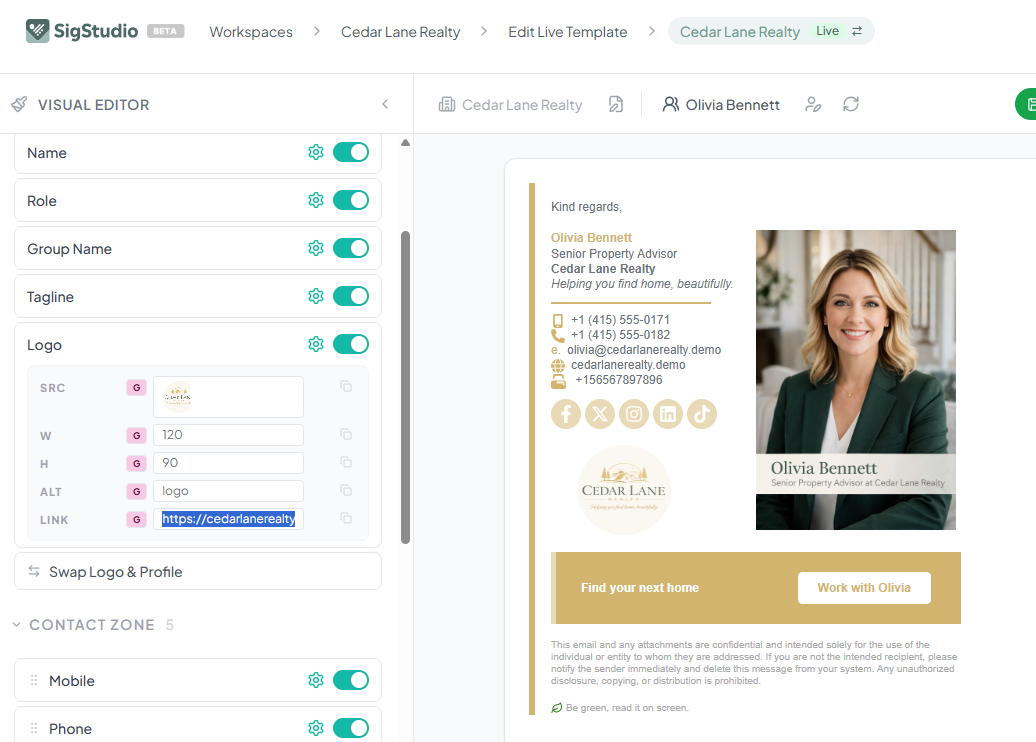
The Visual Editor displays your signature template with on/off toggles and settings cogs for each section. Changes are shown in real-time in the signature preview.
Editor Sections
The Visual Editor is organized into these key sections:
- Contact Zone — control which contact fields appear and their data source (Group or User)
- Colors — set Feature, Base, and Accent colors for your template
- Social Zone — manage social media icons and links
- Images — configure logos, banners, and profile photos
- Layout — adjust spacing, alignment, and element ordering
G and U Data Sources
Use the G (pink) button to pull data from Group fields, or the U (blue) button to pull from User fields. This lets you control whether data is shared across the group or unique per user.
Saving Changes
Remember to save your template changes often. The save button turns green when you have unsaved changes.